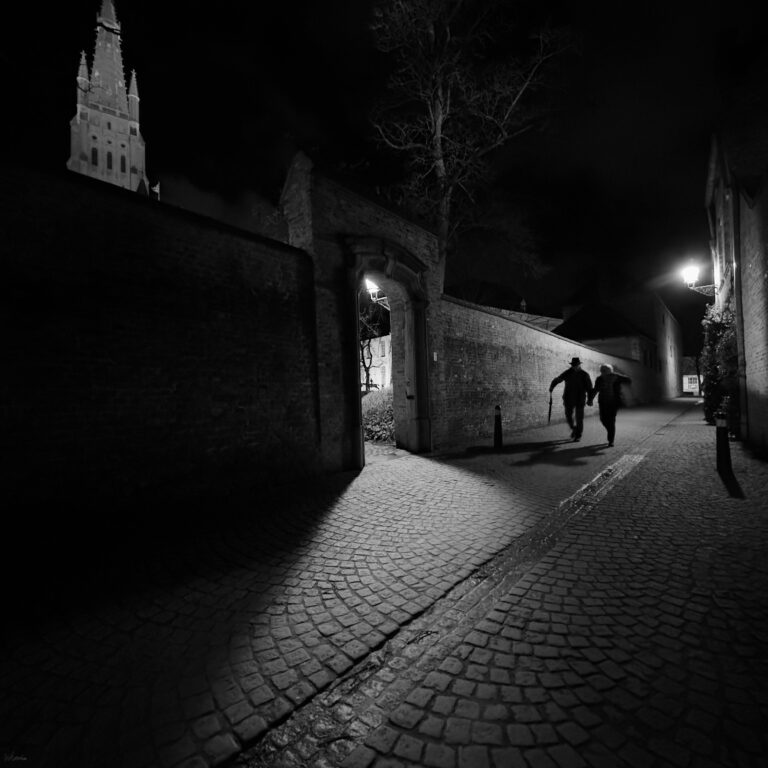


From yesterday’s photoshoot — with quite limiting conditions on location (fast shoot, no editing; these edits are just for my own testing purposes).
I ran a quick editing test in Luminar Neo, Adobe Camera Raw, and Lightroom. Ideally, I would have used the exact same photo across all three apps… but well, I didn’t.
Still, I’m happy with all three results.



Some workflows were more complex (Adobe Camera Raw and Lightroom), while others lacked certain options (Luminar Neo — for example, background blur).
In the end, the differences are surprisingly minimal.
I would recommend all three apps:
- Luminar Neo for photographers who want a fast, intuitive workflow
- Lightroom for a balanced, efficient, and consistent editing process
- and for those who really know what they’re doing in Photoshop… well, Photoshop is still Photoshop
This was also a test shoot for my new Tamron 35–150mm — my first time using a non-Nikkor lens.
First impressions:
- very sharp
- the focal range is perfect for this type of shoot
- f/2–2.8 throughout the zoom range is a huge advantage
Downsides?
- no image stabilization (irrelevant here since I shoot on a tripod)
- and the weight… it’s heavy
Because of that, I’ll definitely need a tripod ring. The lens is difficult to fine-tune due to its weight, and there’s a real risk of it slowly “drooping” over time, which can ruin framing (yes, learned that the hard way).
Conclusion: time to get a tripod ring for the Tamron 35–150mm. I’ll test it and share an update once it arrives — I need it within the next two days, so I’d better hurry.